Wi-Fi Network Scanner
Discover nearby wireless networks and access points.
Software · Android
A practical Wi-Fi analysis and network troubleshooting tool designed to help users and IT professionals inspect nearby wireless networks, evaluate signal strength, analyse channel usage, review connection details, and investigate connectivity issues.
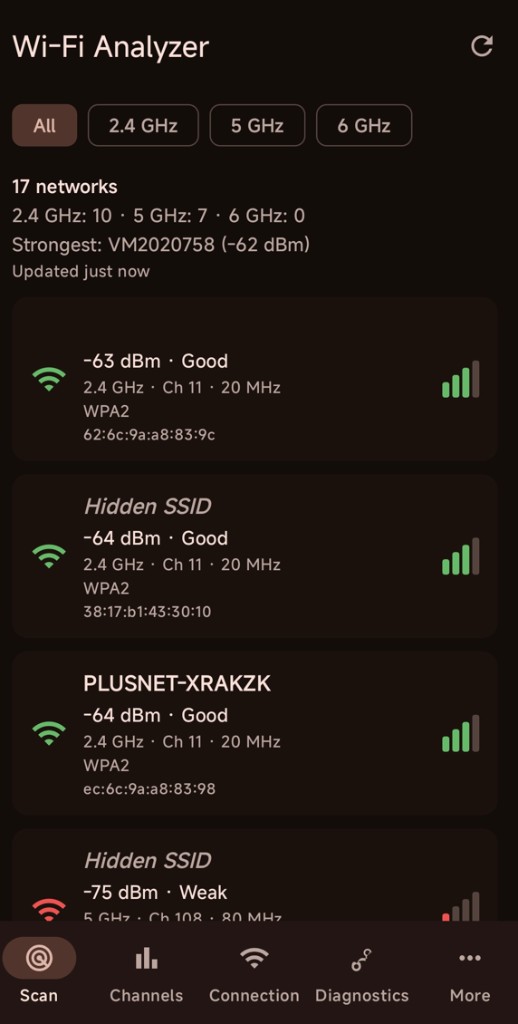
Discover nearby wireless networks and access points.
View received signal strength (RSSI) in dBm.
Inspect nearby networks across supported 2.4 GHz, 5 GHz, and 6 GHz Wi-Fi bands.
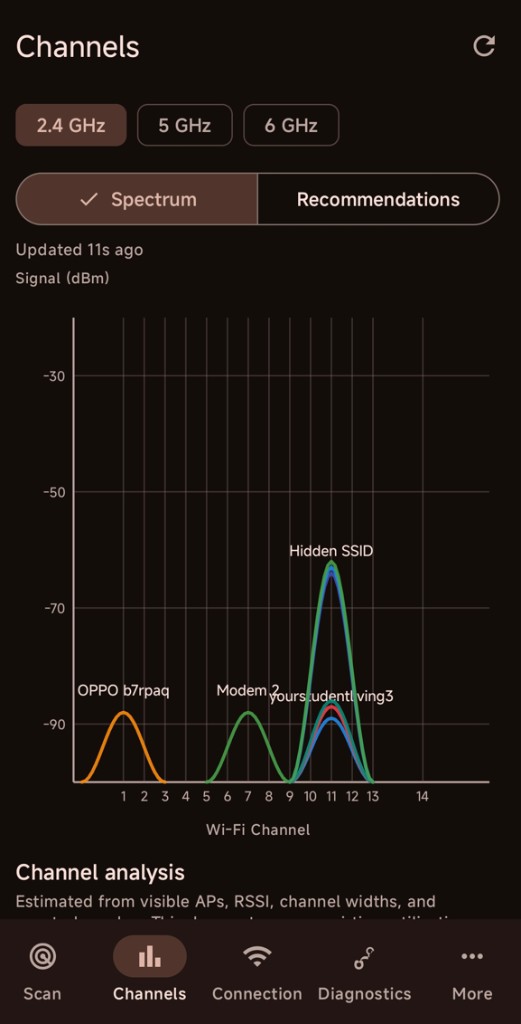
Identify the Wi-Fi channels used by nearby networks.
View the operating frequency reported for nearby access points.
View available SSID, BSSID, frequency, channel, Wi-Fi standard, security, and related network information.
Visualise signal information for individual access points.
Visualise nearby access points across Wi-Fi channels.
Analyse channel congestion and nearby network distribution from visible access points, signal strength, channel widths, and spectral overlap.
Review channel recommendations based on the surrounding Wi-Fi environment.
Review suggested channel widths with supporting reasons and caveats.
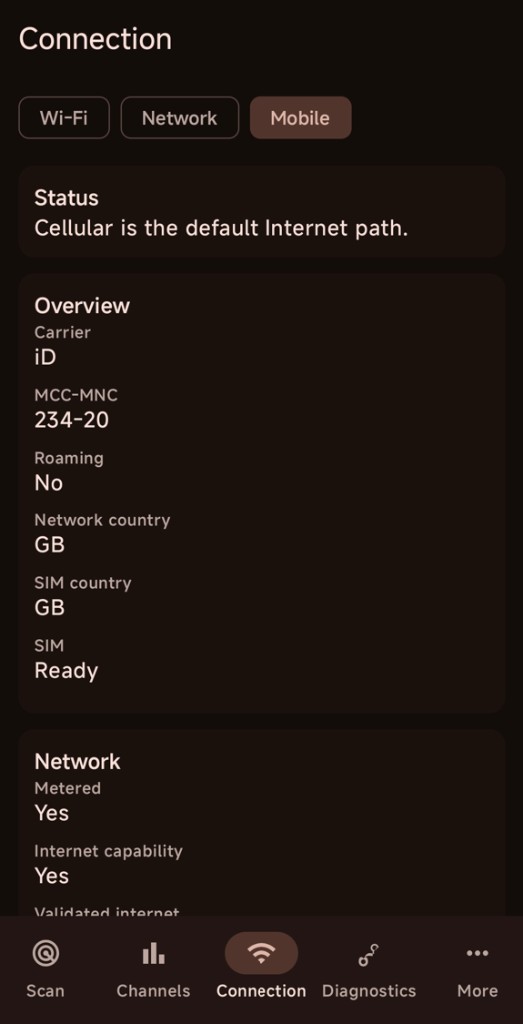
Inspect connection information including IP addressing, gateway, DNS, and Private DNS configuration.
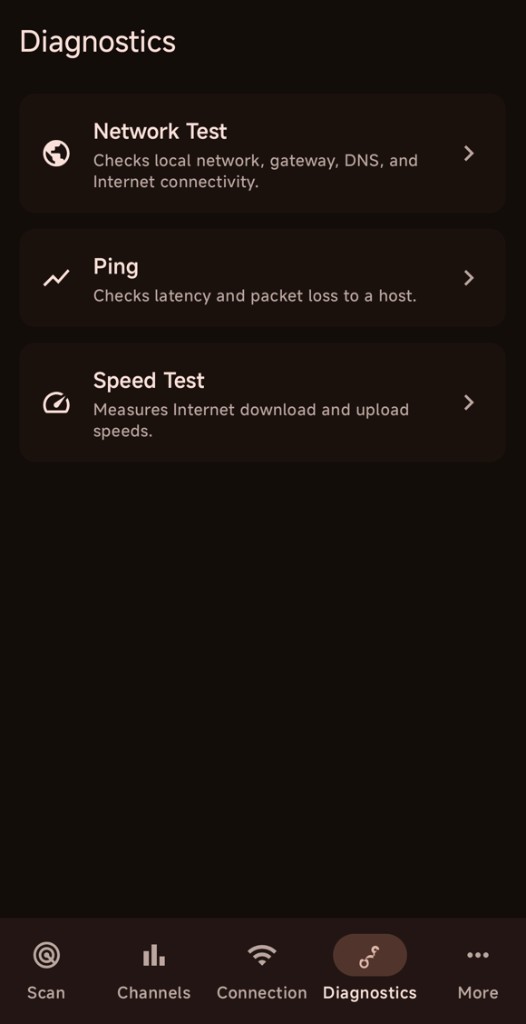
Run connectivity checks and configurable ping tests to help investigate local network and Internet connectivity.
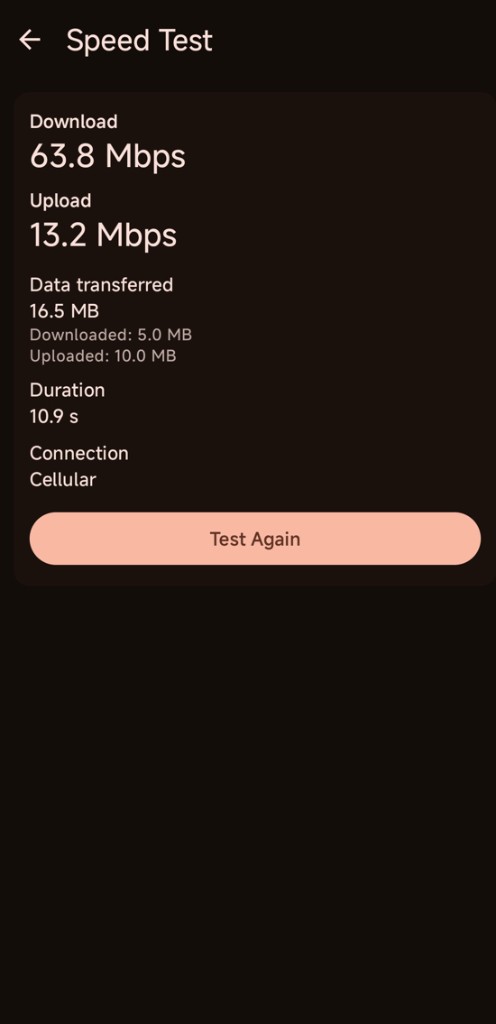
Measure Internet download and upload throughput directly from the diagnostics interface.
Store and review recent scan history locally on the device.
Export scan information and history in CSV or JSON format.
Wi-Fi Analyzer is designed to present useful wireless network information in a clear format, helping IT professionals, support technicians, and advanced users investigate Wi-Fi coverage, channel congestion, nearby access point configuration, and connectivity issues.
| Information | Purpose |
|---|---|
| SSID | Wireless network identification |
| BSSID | Individual access point/radio identification |
| RSSI (dBm) | Received signal strength measurement |
| Channel | Wi-Fi channel in use |
| Frequency | Operating RF frequency |
| Band | 2.4 GHz, 5 GHz, or 6 GHz classification where supported |
| Channel width | Reported channel configuration where available |
| Wi-Fi standard | Available wireless standard information reported by Android |
| Security | Advertised Wi-Fi security capabilities |
| Network capabilities | Additional wireless capability information exposed by Android |
Explore Wi-Fi Analyzer's network scanning, channel analysis, connection information, and diagnostic tools.
Wi-Fi Analyzer uses Android system APIs and the permissions required to access wireless network information. The application is designed to process Wi-Fi information locally on the device.
Android requires specific Wi-Fi, nearby-device, and location-related permissions for discovering and accessing information about nearby wireless networks, depending on the Android version and platform requirements.
LincroCore does not use these permissions to track your physical location. They are required so the application can scan and display nearby wireless network information.
If you encounter a problem, have a question, or would like to suggest a feature, contact LincroCore Support.